Administrator Management
The Administrator Management page is the only entry under Settings and lists every administrator account that can access the SGuard portal for your group.

Page Layout
The page header reads Administrator Management.
Search Criteria
A two-field search bar:
| Field | Purpose |
|---|---|
| Name | Free-text input — narrow by administrator display name |
| ID | Free-text input — narrow by login ID |
A blue Search button applies the filters.
Columns
| Column | Description |
|---|---|
| No. | Sequential row number |
| ID | Login ID for the SGuard portal |
| Name | Administrator display name |
| Authority | Permission level — for example Group Admin |
| Group | The group the administrator belongs to (for example VNETWORK) |
| Recent Access IP | IP address from which the administrator last logged in |
| Last Login Date | Timestamp of the most recent successful login |
| Date | Timestamp the administrator account was created |
A pagination control sits at the bottom of the table.
Editing an Administrator
Click a row to open the Edit Administrator form.
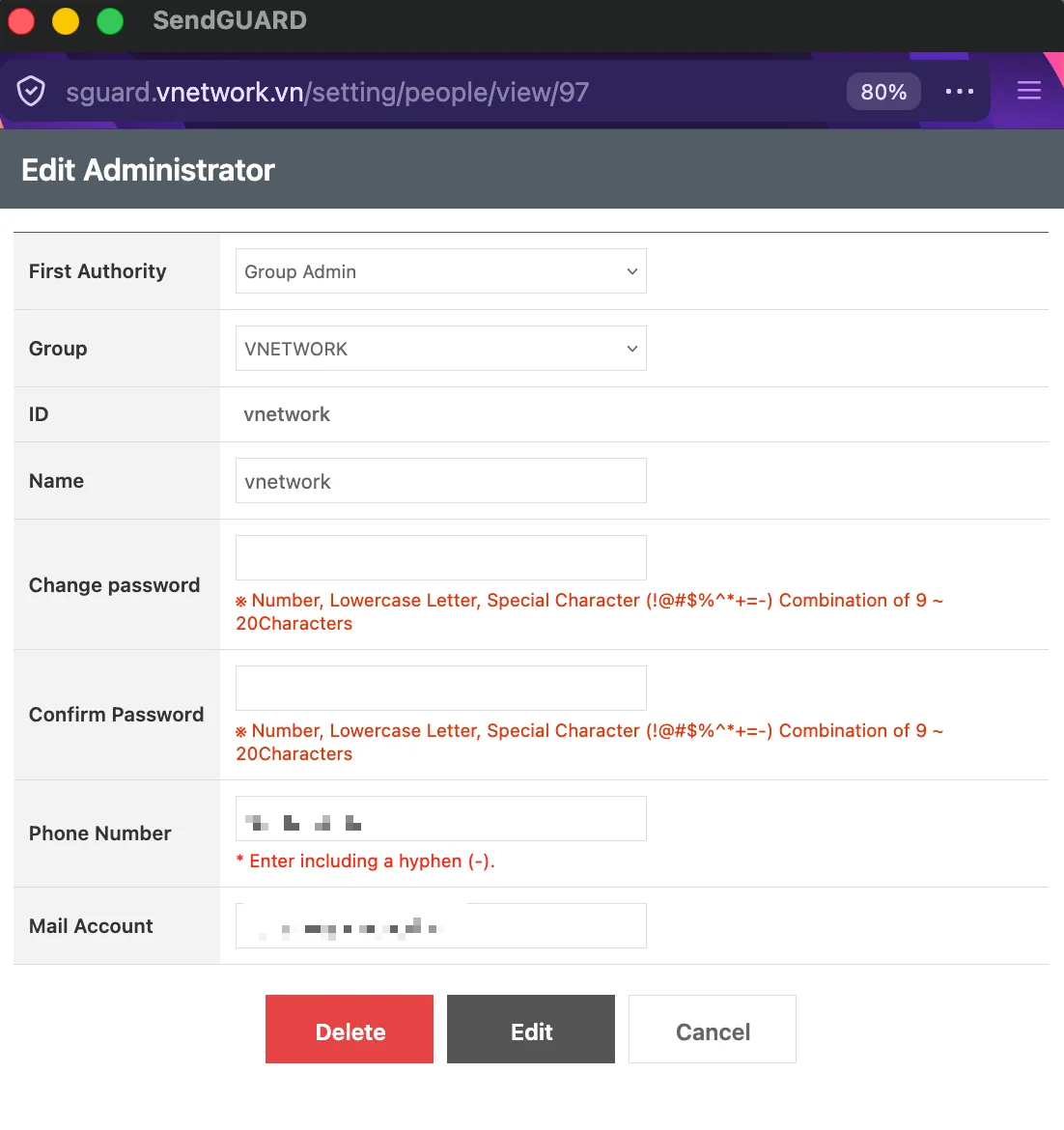
Editable Fields
| Field | Description |
|---|---|
| First Authority | Permission level — selectable from the dropdown (for example Group Admin) |
| Group | Group the administrator belongs to (for example VNETWORK) |
| ID | Login ID — read-only, cannot be changed once the account is created |
| Name | Administrator display name |
| Change password | New password — must be 9-20 characters with at least one number, one lowercase letter, and one special character from !@#$%^*+=- |
| Confirm Password | Re-enter the new password — must match Change password |
| Phone Number | Contact number — must include a hyphen (-) |
| Mail Account | Mail address used for notifications |
Action Buttons
| Button | Color | Purpose |
|---|---|---|
| Delete | Red | Permanently remove the administrator account |
| Edit | Dark gray | Save the changes made on the form |
| Cancel | White | Close the form without saving |
Leave the Change password and Confirm Password fields blank to keep the existing password.
Permission Levels
Group Admin is the standard level for administrators managing a single group. They can:
- View and act on every Mail and Filter page for their group
- Add, edit, and delete administrator accounts within the same group
- View Statistics for their group
They cannot edit configuration that applies across groups (server settings, hierarchy, reports infrastructure). Those operations are reserved for Operation-level administrators and are not available in the Group admin portal.
Deleting an administrator is immediate and cannot be undone. The deleted account loses access on the next request — any active session is invalidated.
Use Recent Access IP and Last Login Date to spot dormant accounts. Administrators who have not logged in for several months are good candidates for review and removal.