Access keys
An access key is the Access Key ID + Secret Access Key pair your S3 tools and SDKs authenticate with. The Access Keys page lists the keys for the service's root account.
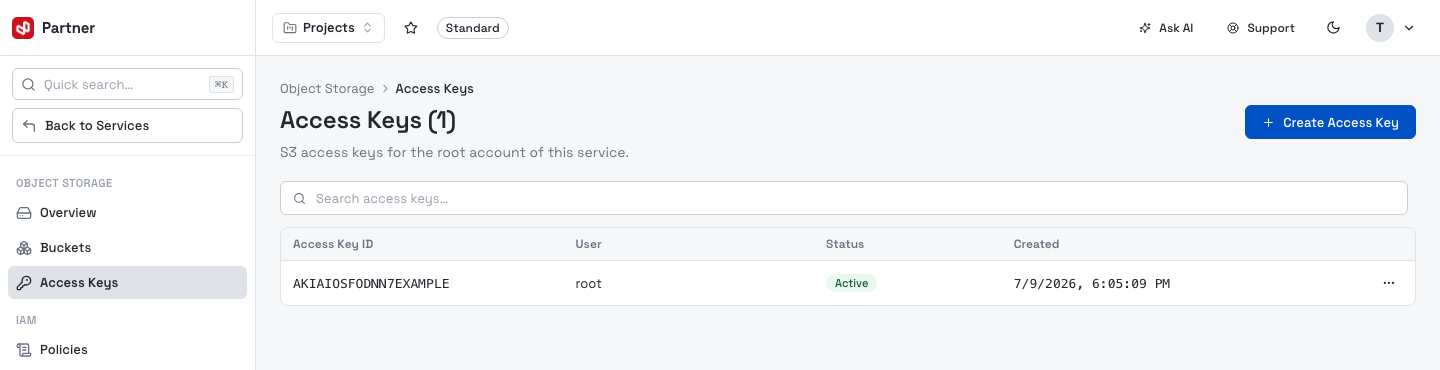
Columns: Access Key ID, User (root), Status (Active / Inactive) and Created. The row menu can Enable / Disable a key or Delete it.
Create an access key
Create Access Key generates a new key pair and shows it in a one-time dialog:
- Access Key ID and Secret Access Key, each with a copy button.
Copy the secret immediately — it is shown only once
The Secret Access Key is displayed once, at creation and can never be retrieved again. Copy it into your secret store before closing the dialog. If you lose it, delete the key and create a new one.
Disable or delete a key
- Disable keeps the key but rejects requests using it — a quick way to cut off access without deleting.
- Delete removes it permanently. Applications using that key lose access immediately, and it cannot be undone.
tip
Prefer scoped IAM users/roles and policies over sharing the root account's keys. Rotate keys periodically: create a new one, switch your apps over, then delete the old one.