Notifications
A channel is where alerts are delivered. The Notifications page lists your channels; alarms then pick which channels to notify when they fire.
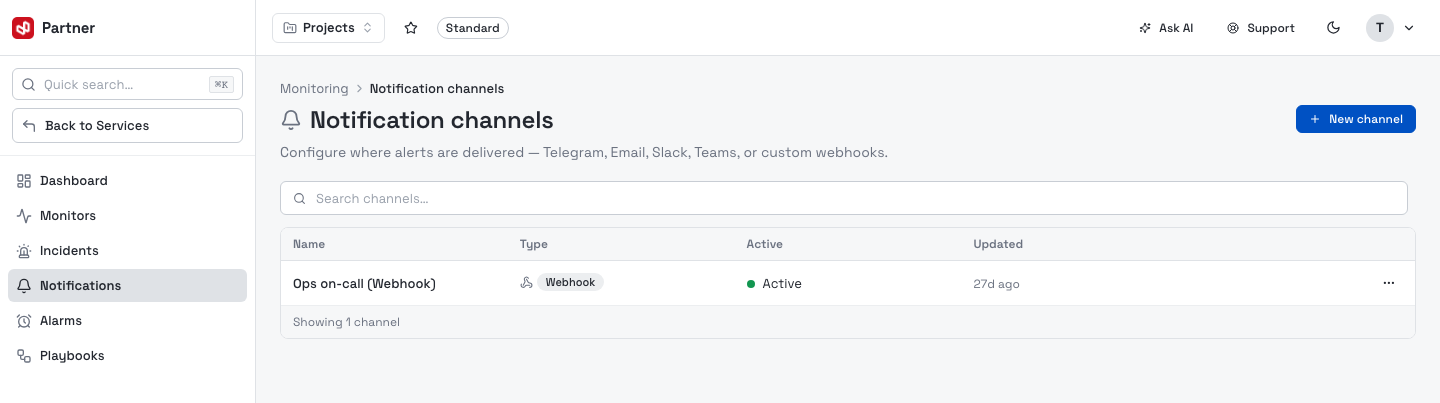
Columns: Name, Type (provider), Active (Active / Paused), and Updated. The row menu deletes a channel; click a row to open it.
Create a channel
New channel opens a three-step wizard — Provider → Configure → Review.
1. Provider
Pick the delivery provider. Multi-type holds configs for several providers under one channel (configured per-provider after creation).
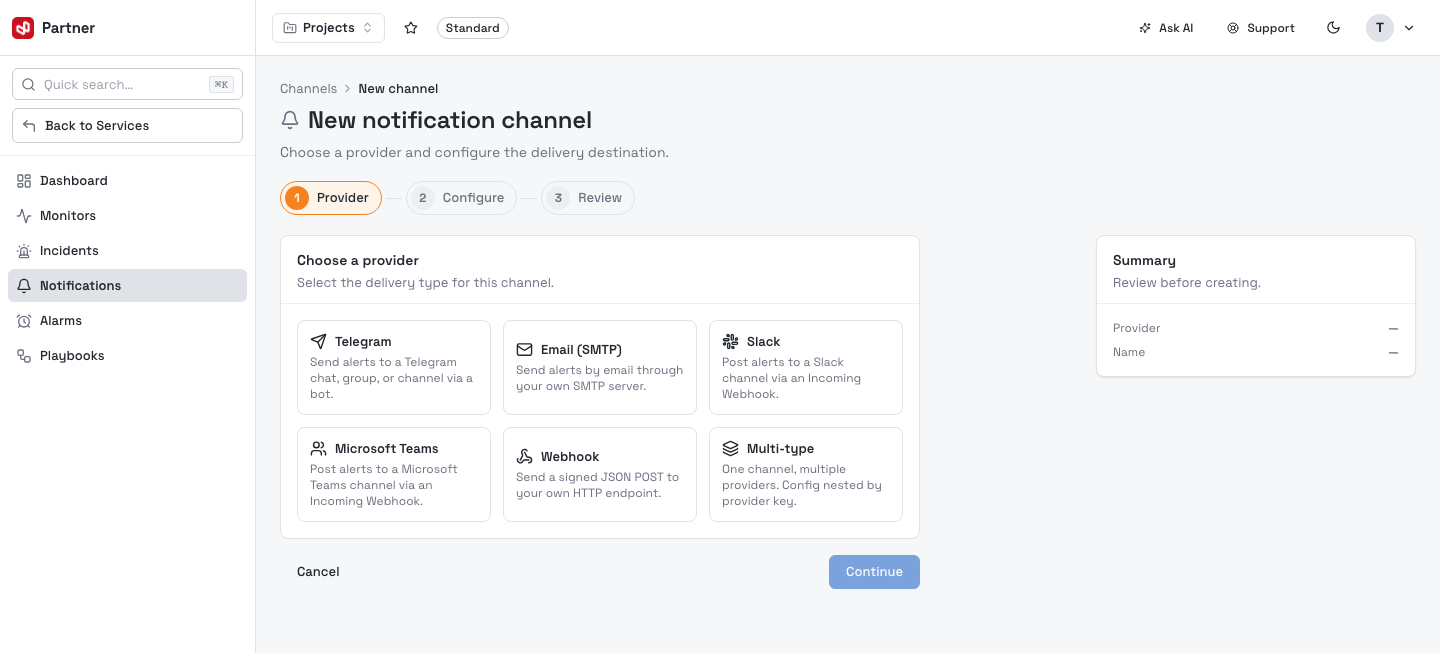
| Provider | Delivers to | How to get credentials |
|---|---|---|
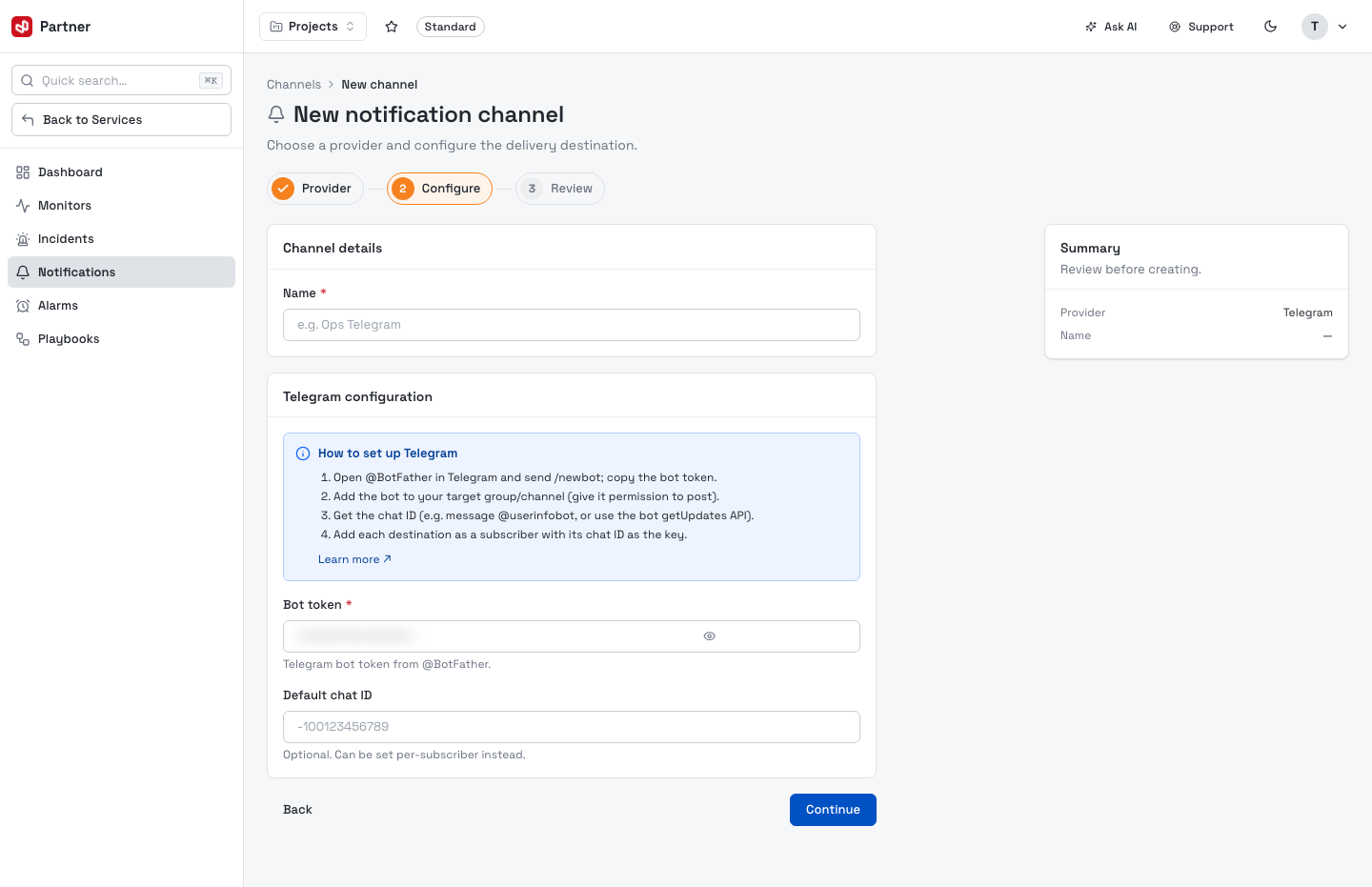
| Telegram | A Telegram chat, group or channel via a bot | Create a bot with @BotFather, copy the bot token, add the bot to the target chat, and use each chat's chat ID as the subscriber key. |
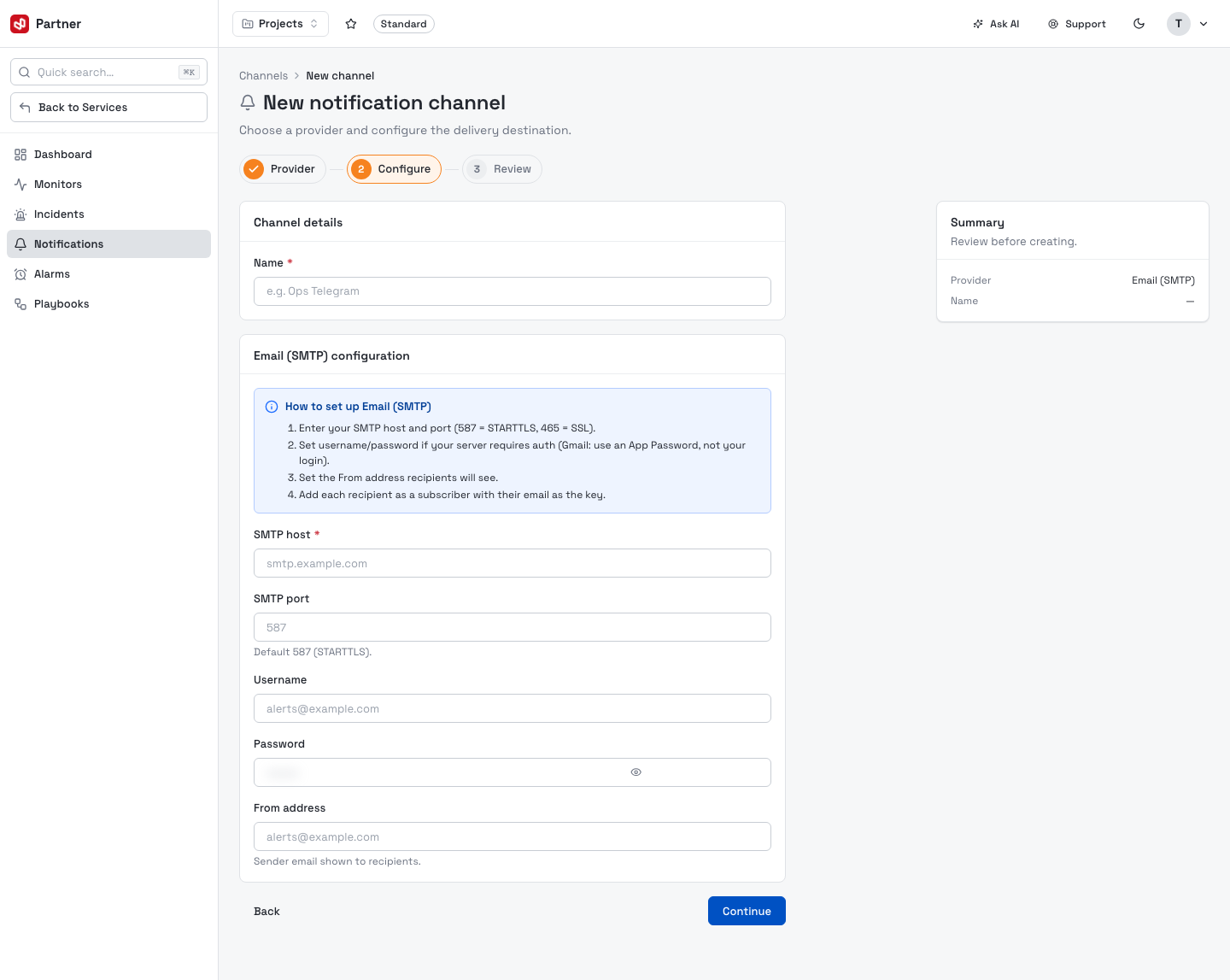
| Email (SMTP) | Email through your own SMTP server | Enter SMTP host/port (587 = STARTTLS, 465 = SSL), optional username/password, and a From address. Add each recipient as a subscriber. |
| Slack | A Slack channel via an Incoming Webhook | In Slack, activate Incoming Webhooks, add one to the workspace/channel, and copy the webhook URL. |
| Microsoft Teams | A Teams channel via an Incoming Webhook, or Microsoft 365 (OAuth) | Add an Incoming Webhook connector in the Teams channel and copy its URL — or choose Microsoft 365 (OAuth) to connect after creation. |
| Webhook | Your own HTTP endpoint (signed JSON POST) | Set the endpoint URL; optionally set an HMAC secret — we sign each request with an X-Webhook-Signature header so you can verify authenticity. |
2. Configure
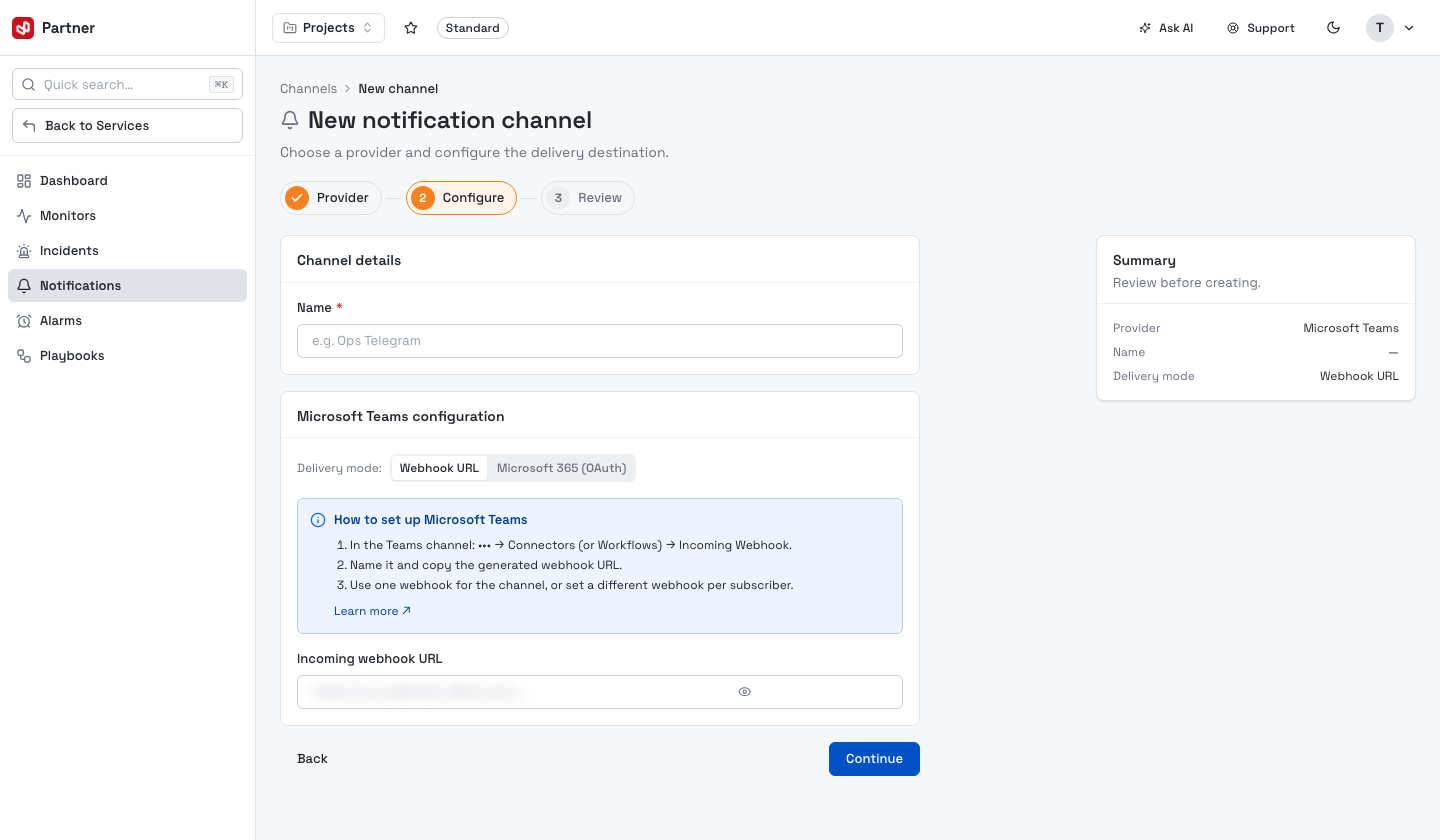
Name the channel and fill the provider's fields. Each form includes a short How to set up guide.
Other providers collect their own fields — Email (SMTP), for example, takes your server host/port, optional credentials and a From address:
Secret fields (bot token, SMTP password, webhook URLs, HMAC secret) are stored encrypted. Microsoft Teams additionally offers a Delivery mode toggle — a plain Webhook URL, or Microsoft 365 (OAuth) where you authorize and pick a team on the channel page after creating it.
Channel detail & subscribers
The channel page lets you rename the channel, edit its provider configuration, send a test notification, and manage subscribers — the individual destinations (a chat ID, an email, a per-subscriber webhook) that receive this channel's alerts.
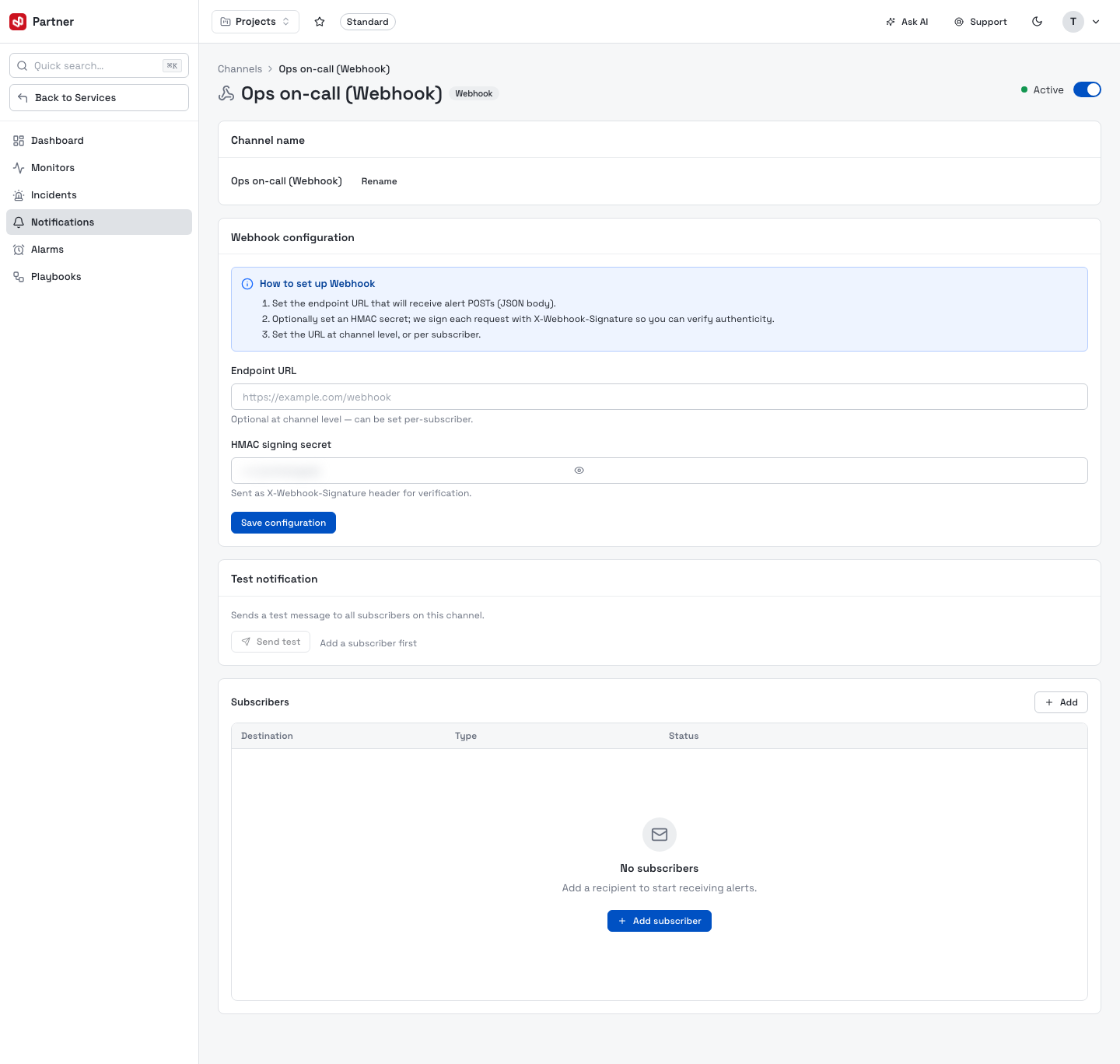
Add at least one subscriber before relying on a channel — Send test is disabled until a channel has somewhere to deliver to. A channel with no subscribers silently delivers nothing.