Domains
The Domains page lists every hostname served through this orchestrator. Click a row to open its configuration; the title shows the total count.
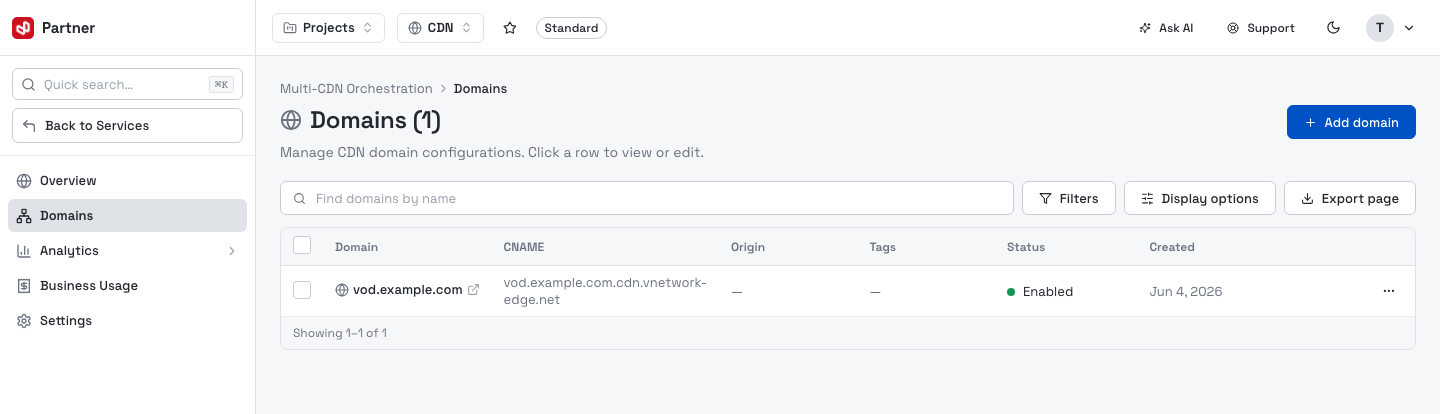
| Column | Notes |
|---|---|
| Domain | The hostname, with an external-link icon that opens it in a new tab. |
| CNAME | The edge target you point your DNS at (e.g. vod.example.com.cdn.vnetwork-edge.net). |
| Origin | Where the edge fetches uncached content from. |
| Tags | Free-form labels for grouping and filtering. |
| Status | Enabled, Deploying, Pending or Disabled. |
| Created / Updated | Timestamps. |
Search by name with Find domains by name (searches all domains, not just the current page). The list is server-paginated at 50 rows per page.
Row actions
The row menu (⋯) acts on a single domain.
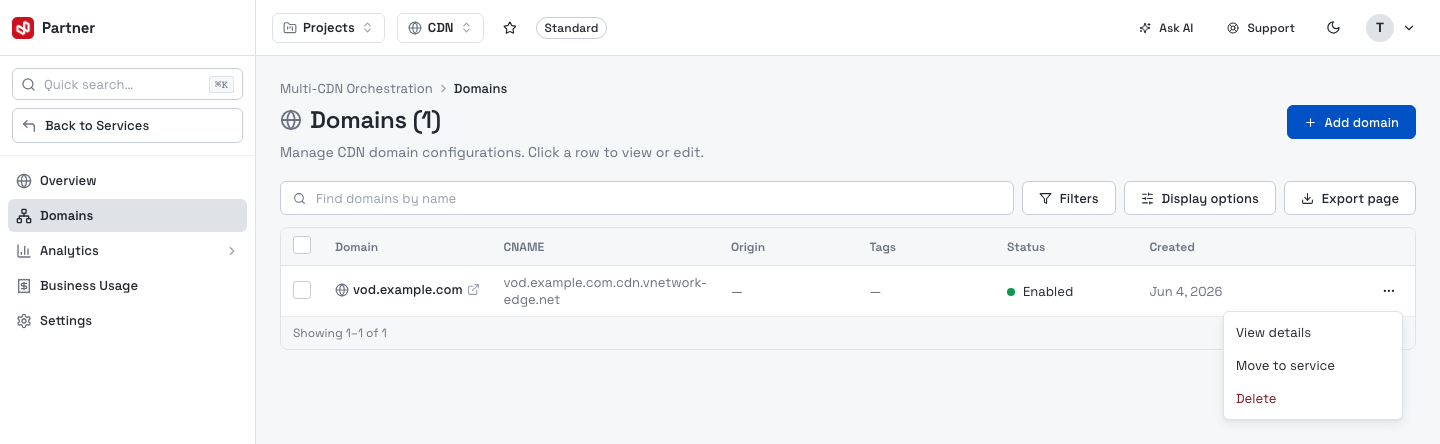
- View details — open the domain's configuration.
- Move to service — re-point the domain to another orchestrator of the same provider (see Move a domain).
- Delete — permanently remove the domain and all its configuration.
Filters and columns
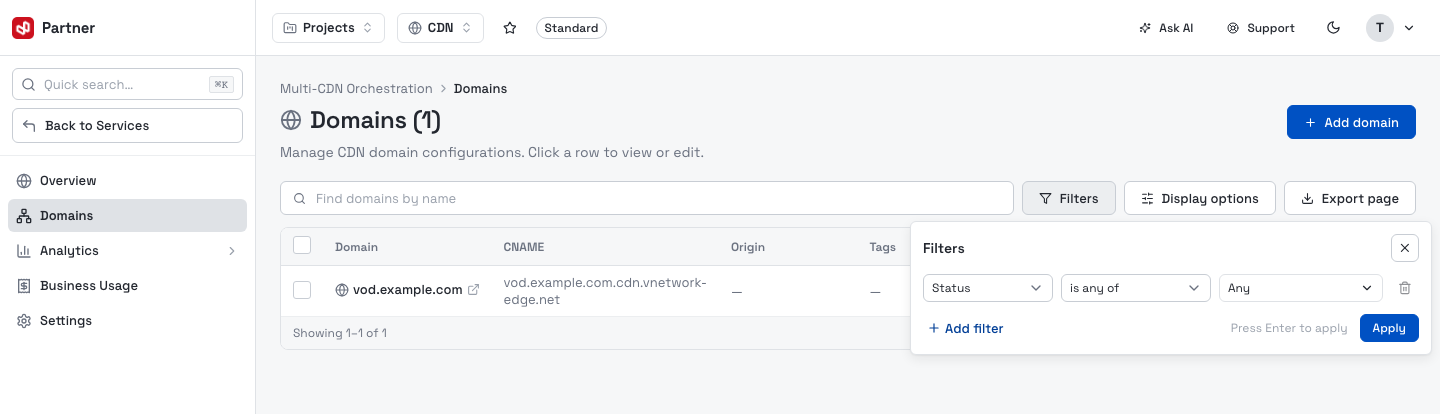
Filters builds a query across Status, Tag, Project, Team and Created date. Add conditions, then Apply.
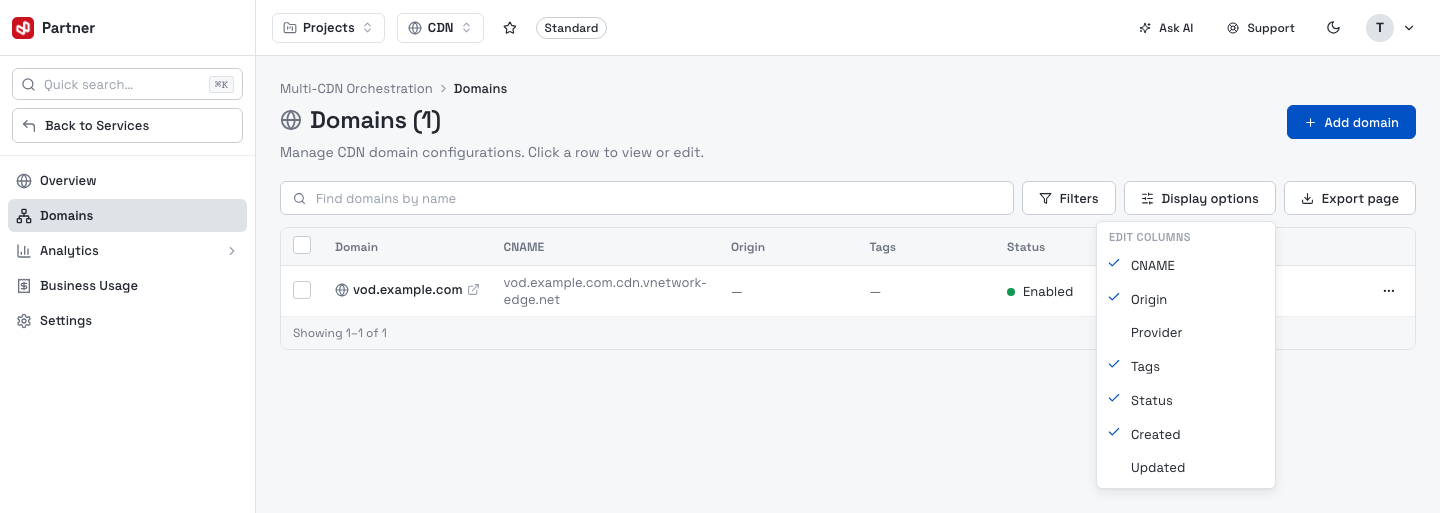
Display options toggles which columns show. Domain, and the actions menu are always visible; CNAME, Origin, Provider, Tags, Status, Created and Updated are optional.
Export page downloads the current page as CSV.
Bulk actions
Tick one or more rows to reveal the selection bar.
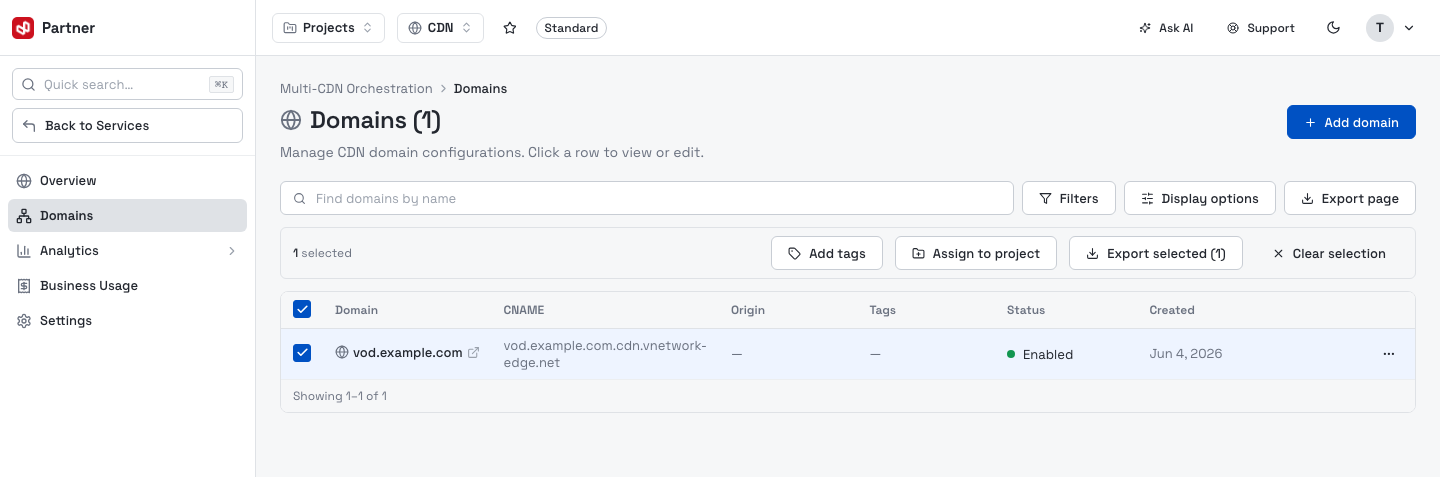
- Add tags — append comma-separated tags to every selected domain.
- Assign to project — group the selected domains under a project (and the team that owns it).
- Export selected — download just the checked rows as CSV.
- Clear selection — deselect all.
Add a domain
Add domain opens a guided setup wizard. Tell the edge which hostname to serve and where to fetch content from.
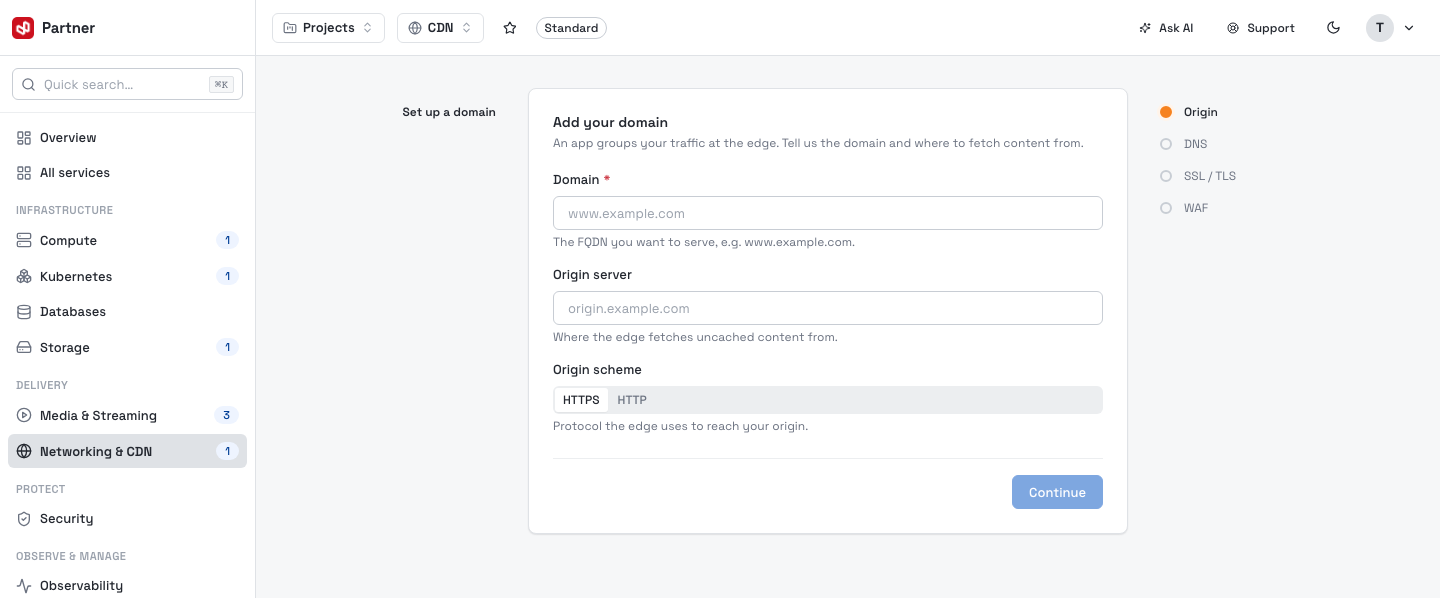
The wizard steps through:
| Step | What you set |
|---|---|
| Origin | The Domain (FQDN to serve), the Origin server the edge fetches uncached content from, and the Origin scheme (HTTPS or HTTP). |
| DNS | The one-time CNAME to add at your DNS so traffic routes to the edge. |
| SSL / TLS | The edge certificate — issue a free managed certificate or upload your own — and transport settings. |
| WAF | Optionally turn on the web application firewall before going live. |
Once created, the domain appears in the list as Deploying, then Enabled when the edge and DNS are in place. Every setting is editable afterwards from the domain's configuration.
You can also onboard a domain from the SSL/TLS Certificates inventory's certificate, or point the origin at an Object Storage bucket for public static files.
Move a domain
Move to service (row menu or the domain header) re-points a domain's binding to another orchestrator of the same provider and organization. Analytics history follows the domain — nothing is lost.
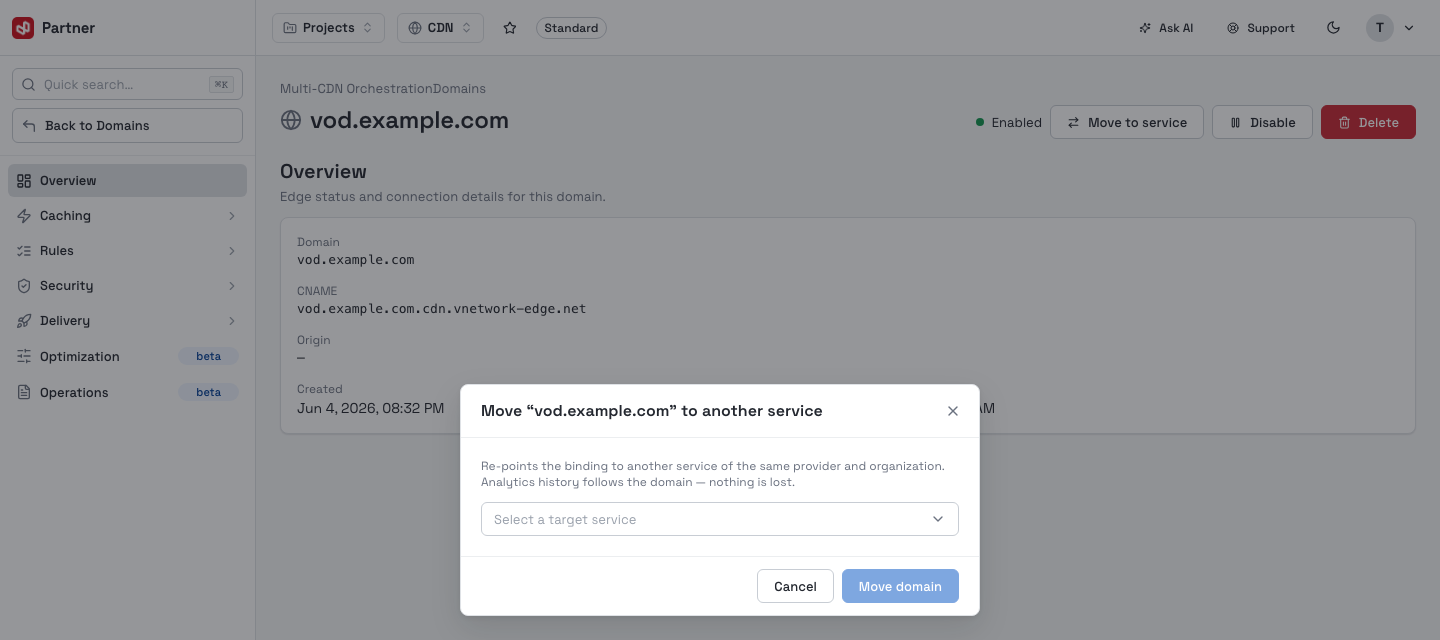
Pick the target service and confirm. The console then opens the destination orchestrator's domain list.
Next steps
- Domain configuration — caching, rules, security, TLS and delivery.
- Analytics — traffic and cache insights.
- FAQ.